
← All demos
Marine owner & guest panel · Crestron style
Motor Yacht
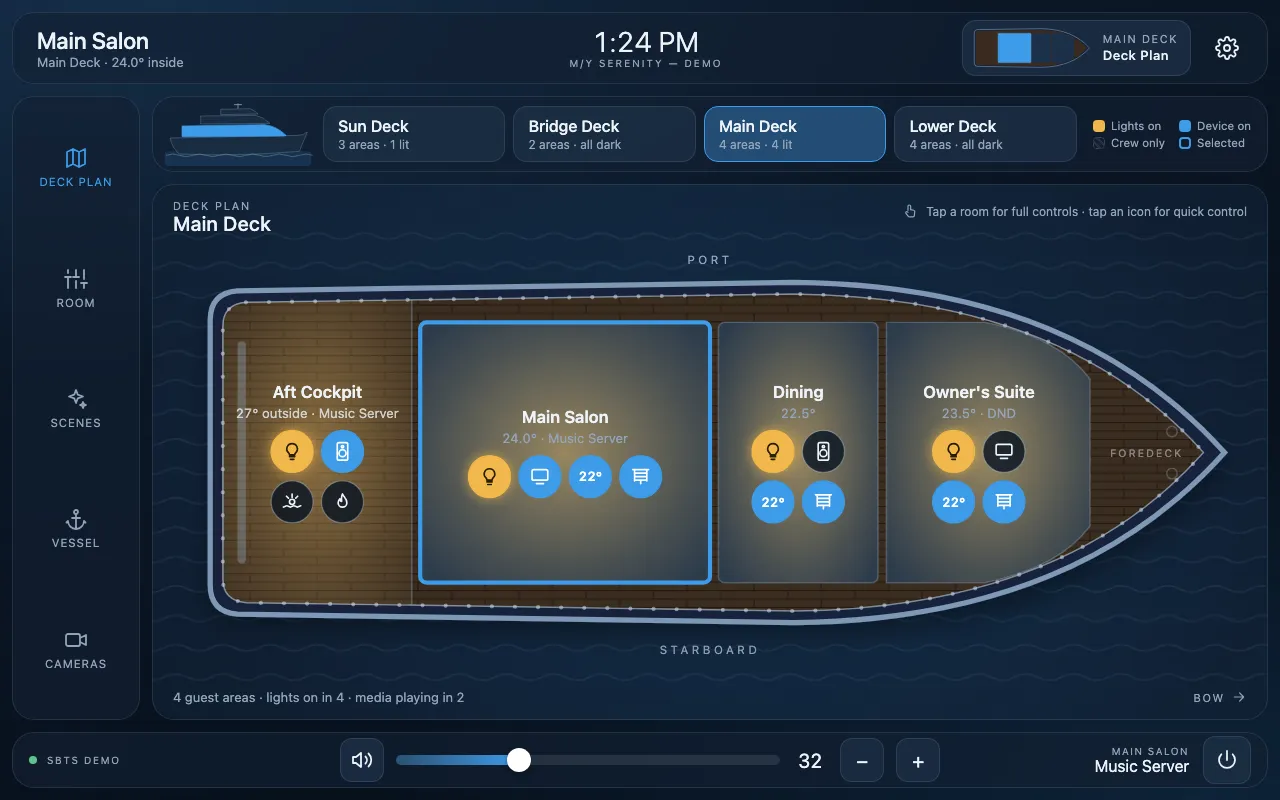
Instead of a list of rooms, guests choose a deck and tap the space they want on a drawing of the yacht. Each room shows its lights, media and temperature, and small device icons on the plan toggle lights or pop up a source list for a TV or speakers without leaving the deck view.
Tapping a room opens its full controls: media sources, lighting scenes, climate, shades and stateroom Do Not Disturb. Ship-wide pages cover all-yacht scenes, cameras and live vessel status such as shore power, battery, tanks and conditions.
This is a live demo: tap or click any control to try it.
Interactive demos are built for tablets and computers. Open this page on an iPad or desktop to try it.
What it shows
- Deck plans for four decks with tappable rooms and live status
- On-plan device icons: one-tap toggles and pop-up source and shade controls
- Per-room media, lighting scenes, climate and shades
- Stateroom Do Not Disturb and Make Up Room
- Outdoor features: jacuzzi, underwater lights and deck heaters
- Vessel status: shore power, generator, battery and tank levels
- All-yacht scenes, cameras, and light or dark themes