← All demos
Crestron control · Q-SYS audio
Divisible Conference Center
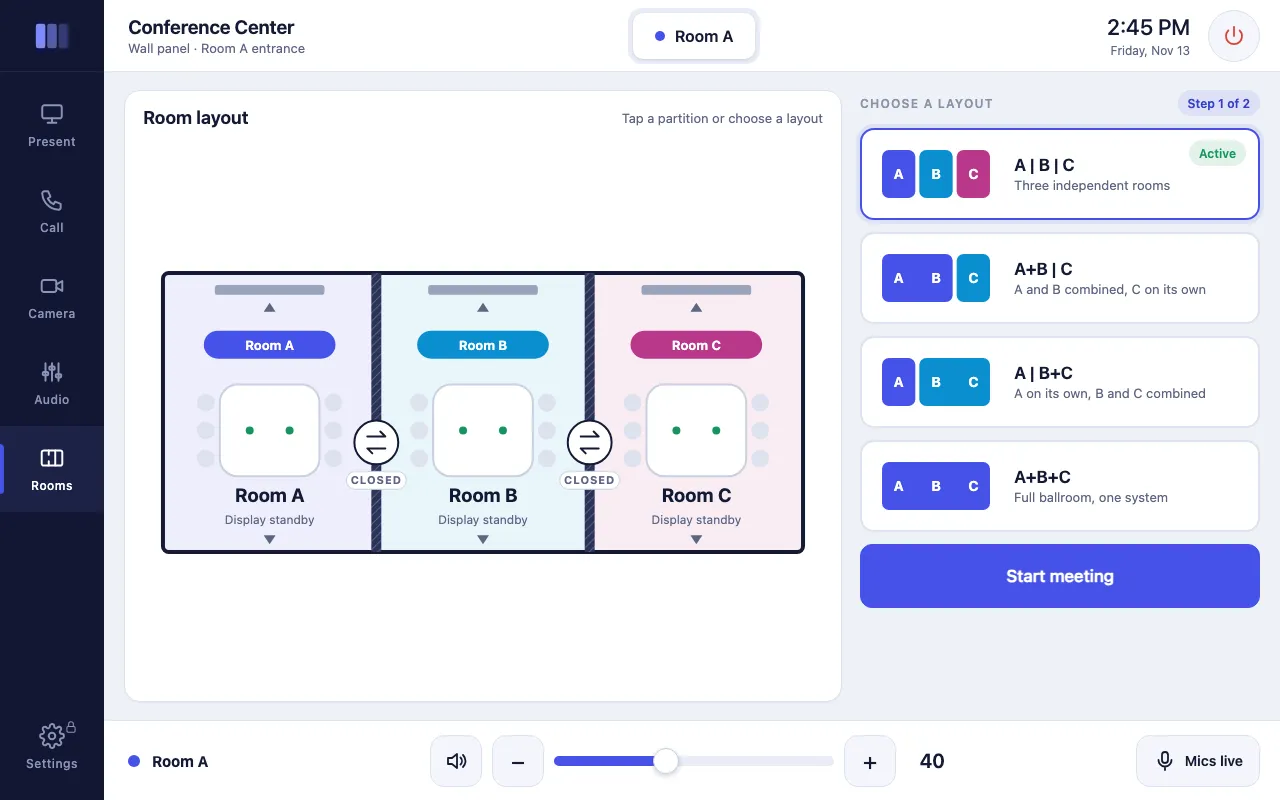
Three rooms can run on their own or combine in any layout: A | B | C, A+B | C, A | B+C, or one full ballroom. Pick a layout or tap a partition on the floor plan and audio, video, cameras and the phone line link up; divide again and each room returns to its own settings.
From there, presenters choose sources for each display, place audio-conference calls from a dialer, move cameras with presets and a PTZ pad, and mix room audio. Technicians unlock advanced settings with a PIN.
This is a live demo: tap or click any control to try it.
Interactive demos are built for tablets and computers. Open this page on an iPad or desktop to try it.
What it shows
- Live floor plan with tappable partitions and four combine layouts
- Controls that follow the layout: displays, volume and cameras per room or combined
- Source selection per display
- Audio-conference dialer with call timer, DTMF and speed dials
- Camera presets, PTZ pad and zoom
- Room audio mixing, plus PIN-protected technician settings